

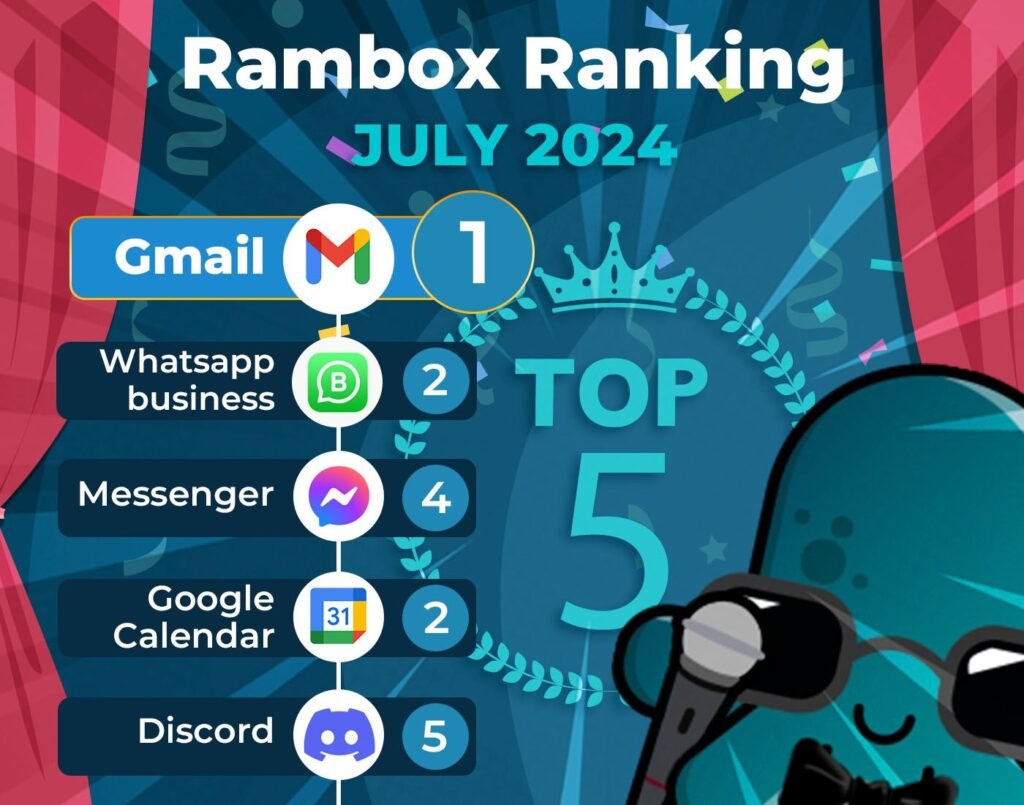
It’s time to unveil the power-packed lineup of July’s most-used apps on Desktop Hub – your favorite workspace simplifier.
Join us on this exploration, where we first dive into the top 15 most-used apps. Here, we’ll unearth a mix of personal and professional digital applications that are the pillars of our users’ digital workspaces.
But our journey doesn’t end there. Let’s take a closer look at how the Desktop Hub Ranking has evolved since last month, June.
Discover the latest trends and shifts in user preferences as we spotlight the newcomers who have made their mark in the top ranks and reveal our users’ new favorite apps.
Most-used apps on Desktop Hub in July
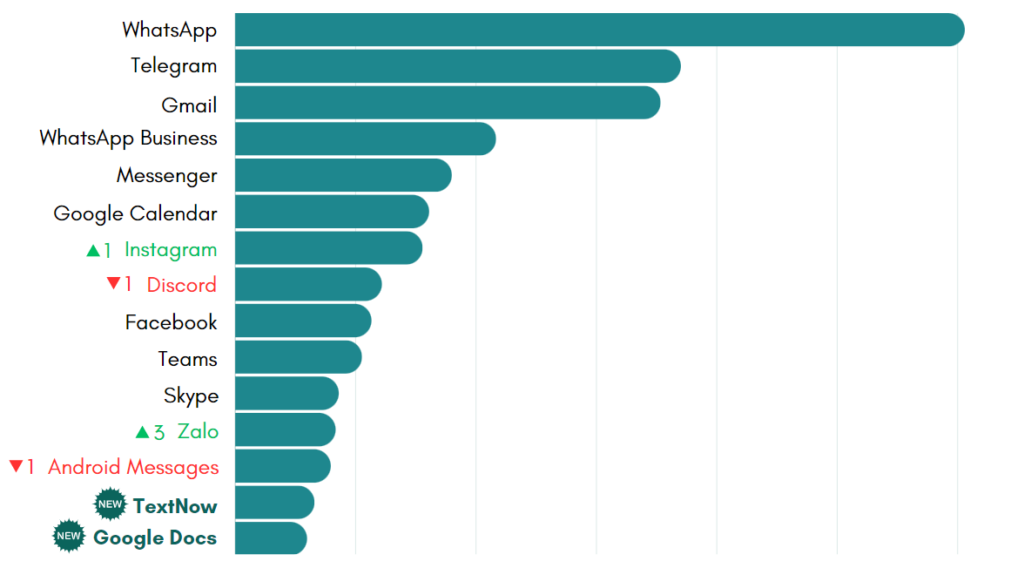
First, we present the top 15 apps most used by Desktop Hub users based on statistical and impersonal data.
This selection represents the digital frontrunners that have captured the spotlight in the diverse digital realms of our users.
How has the Desktop Hub Ranking changed in the last month?
In the last month, the Desktop Hub ranking has seen some interesting changes.
As usual, WhatsApp remains the most used app in July, maintaining the top spot and demonstrating its continued popularity among Desktop Hub users. Telegram managed to consolidate the second position it achieved last month, ousting Gmail to third place.
WhatsApp Business and Messenger remain important tools for users, maintaining their fourth and fifth positions respectively. In terms of scheduling and productivity, Google Calendar, the top-ranked app for scheduling and productivity, remains in sixth place. However, if you’re looking for new tools to plan your day-to-day activities, don’t miss our recommendations on the best alternatives to Google Calendar.
A little further down the list, we see some small changes in the ranking. Instagram has moved up from eighth to seventh place, unseating Discord, which has dropped to eighth place. Facebook has dropped slightly from eighth to ninth place, while Teams and Skype have held steady in tenth and eleventh place, respectively, indicating stable usage for team collaboration and user engagement.
Zalo has made a significant jump from fifteenth to twelfth place, highlighting its growing popularity. Android Messages has dropped slightly from twelfth to thirteenth place.
There are also new entries in the July top 15. TextNow has entered the fourteenth place, and Google Docs has debuted in the fifteenth, reflecting a growing need for document management and collaboration tools. Meanwhile, Custom App and Google Drive dropped out of the top spots.
New additions to the Ranking: TextNow & Google Docs
Let’s take a closer look at why TextNow and Google Docs have made their debut in the top 15 and what makes them stand out in today’s digital landscape.
TextNow
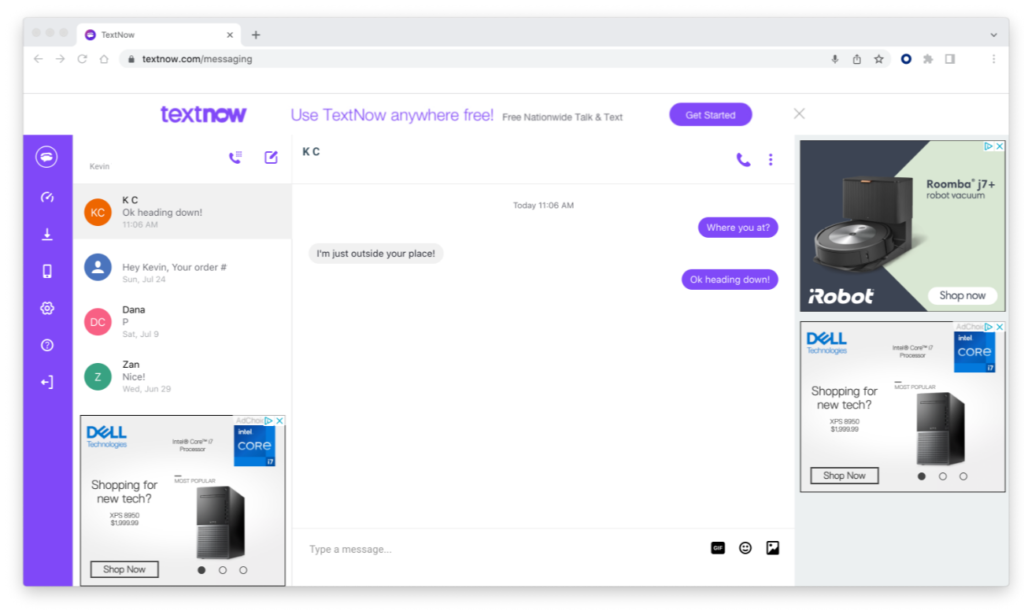
TextNow is a great tool for professionals who need reliable communication without the cost of a traditional phone plan. It offers free texting and calling using a free phone number from the app. This can be really useful for managing work calls and messages or keeping your personal and professional communications separate.
Source: Textnow.com
You can use TextNow on your smartphone, tablet, or computer, so you’re always connected, whether you’re in the office or on the move. It also offers low-cost international calling, perfect for businesses that need to stay in touch with clients worldwide.
The app is easy to use and keeps your calls and messages synced across all your devices. This way, you won’t miss any important work updates. Overall, TextNow is a practical and affordable choice for staying connected professionally.
Google Docs
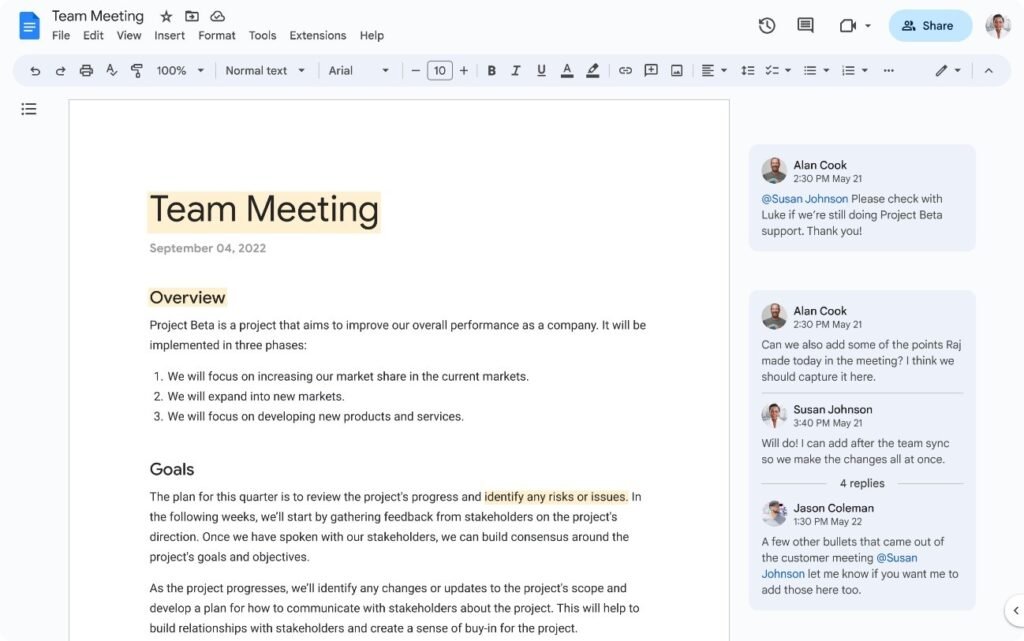
Google Docs is a key part of the Google Workspace office suite, designed to help professionals create, edit, and collaborate on documents seamlessly. This free online tool allows you to work on files in real time with your team, making it ideal for collaborative projects requiring multiple people’s input.
Source: Google Workspace Updates
You can access Google Docs from any device, whether in the office, at home, or on the move. Its user-friendly interface makes editing and formatting simple, and changes are saved automatically, so you won’t lose your work. With features for sharing documents, leaving comments, and tracking changes, Google Docs makes teamwork easy and efficient.
Integration with other Google Workspace tools like Google Drive and Gmail enhances productivity by keeping everything connected and organized.
Consistent favorites among Desktop Hub users
Some apps just never go out of style. These are the ones that consistently hold their ground in the rankings, proving their reliability and value month after month. Users keep coming back to them because they deliver a dependable and steady experience.
Let’s take a look at the apps that have earned their spot as consistent favorites in Desktop Hub.
WhatsApp is a popular messaging app that allows users to send texts, make voice and video calls, and share photos and files. Due to its simple and effective interface, it’s widely used for both personal and professional communication.
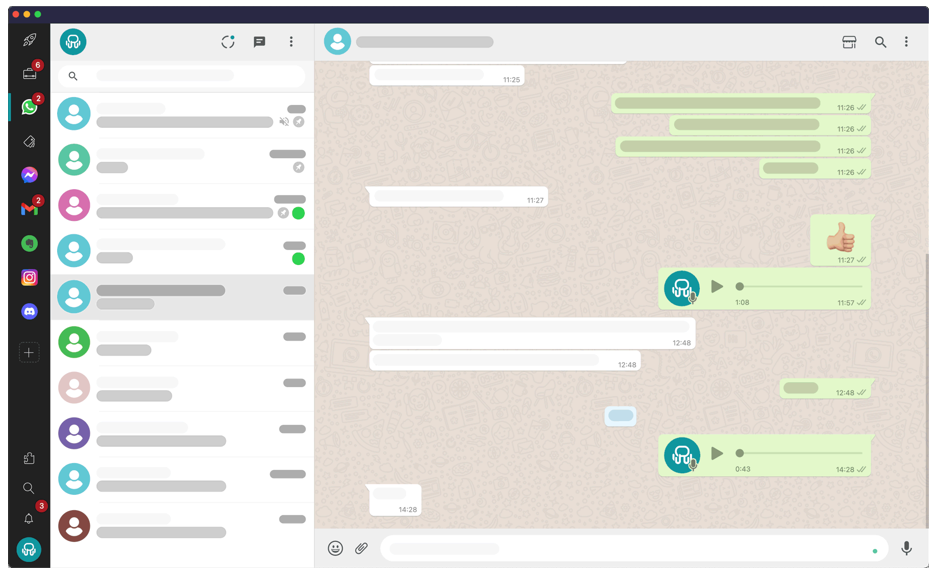
Its popularity comes from its ease of use, reliability, and the ability to connect with people globally without incurring extra costs. WhatsApp also offers features like group chats and status updates, which enhance the way people stay in touch and share information.
Many users manage multiple WhatsApp accounts, such as a personal account and a WhatsApp Business account, for handling business communications. With Desktop Hub, you can easily switch between different WhatsApp profiles and keep all your communications organized in one place.
Gmail
Gmail is a leading email service known for its efficient email management and user-friendly interface. It allows you to send and receive emails, organize your inbox with labels and filters, and integrate seamlessly with other Google services like Google Drive and Google Calendar.
Its popularity stems from its powerful features, such as advanced search capabilities, effective spam protection, and a clean, intuitive design. Gmail helps users stay on top of their communication and manage their emails with ease.
Since Gmail doesn’t have a dedicated desktop app, using Desktop Hub is an excellent way to access your Gmail account from your desktop. Desktop Hub allows you to integrate Gmail into your workspace, making it easy to manage multiple email accounts and keep everything organized. Check out our comprehensive Gmail review for a deeper dive into this email service’s features and benefits
Telegram
Telegram is a popular messaging app known for its strong security features and versatility. It lets users send messages, share files, and participate in large group chats or channels. Its focus on privacy, with features like end-to-end encryption for private chats, makes it a top choice for users who prioritize secure communication.
Telegram also offers a range of additional features, such as customizable bots, cloud-based storage for easy access to your messages and media, and the ability to create large groups and channels. These features enhance personal and professional communication, making Telegram a flexible and powerful tool for staying connected.
Google Calendar
Google Calendar is a great app for keeping track of your schedule. It helps you set up events, reminders, and appointments quickly and easily. With just a few clicks, you can see your daily, weekly, or monthly plans, making it simple to manage your time and stay on top of important dates.
The app works well with other Google services. For example, you can connect it with Gmail to add events from your emails or with Google Drive to attach files directly to your calendar. This makes it easy to keep all your tasks and plans in one place.
Google Calendar also offers handy features like color-coded events and customizable alerts. You can share your calendar with others to coordinate plans or keep track of team activities. Its simple design and useful tools make it an effective way to stay organized and manage your time.
Messenger
Messenger, developed by Facebook, is a versatile messaging app beyond simple text communication. It allows users to send text messages, make voice and video calls, and share photos, videos, and even files. One of Messenger’s standout features is its seamless integration with Facebook.
Messenger supports group chats, which are great for planning events or staying in touch with multiple coworkers at once. It also includes fun features like stickers, GIFs, and customizable chat themes that make conversations more engaging. Thanks to its vast user base and features like automated responses and business profiles, Messenger is a powerful tool for customer service and engagement for businesses.
Discord
Discord started as a communication platform for gamers but has evolved into a versatile tool used by communities of all kinds, from hobby groups to professional teams. It offers text, voice, and video chat capabilities, all organized into servers like community hubs. Users can create multiple channels dedicated to specific topics or activities within each server, making it easy to keep conversations organized.
Discord’s voice chat is trendy for its low latency and high quality, which makes it ideal for real-time conversations during collaborative projects. Screen sharing and streaming features allow users to share their activities with others, adding another interaction layer. Bots and integrations with other apps enhance functionality, offering automated moderation, music playback, and more.
Why Use These Apps in Desktop Hub?
Desktop Hub is the ideal tool for managing communication and collaboration applications, keeping you informed about messages and project updates without feeling overwhelmed. With Desktop Hub you have full control over notifications, allowing you to customize how and when you receive alerts. Whether you prefer audible notifications, no sound or turn them off completely, Desktop Hub ensures you stay focused on important tasks while minimizing distractions.
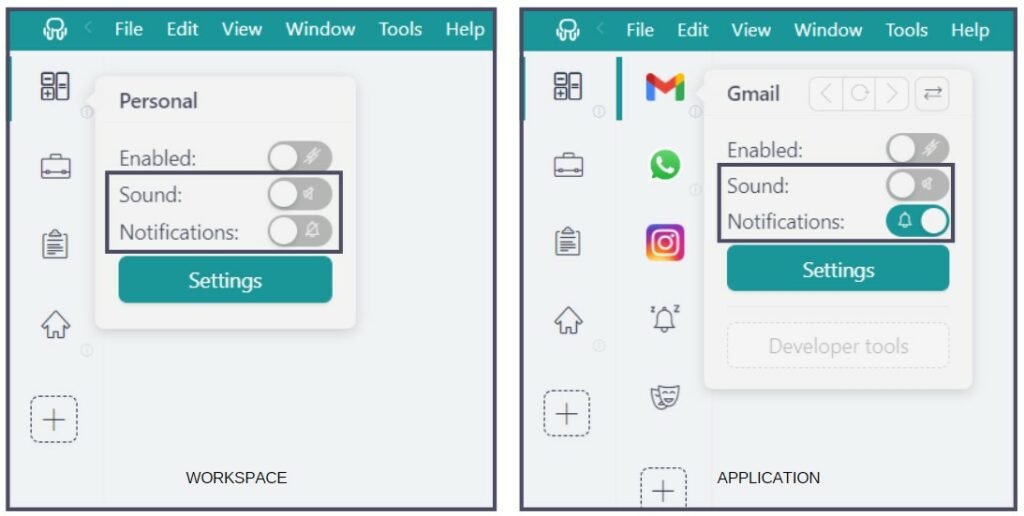
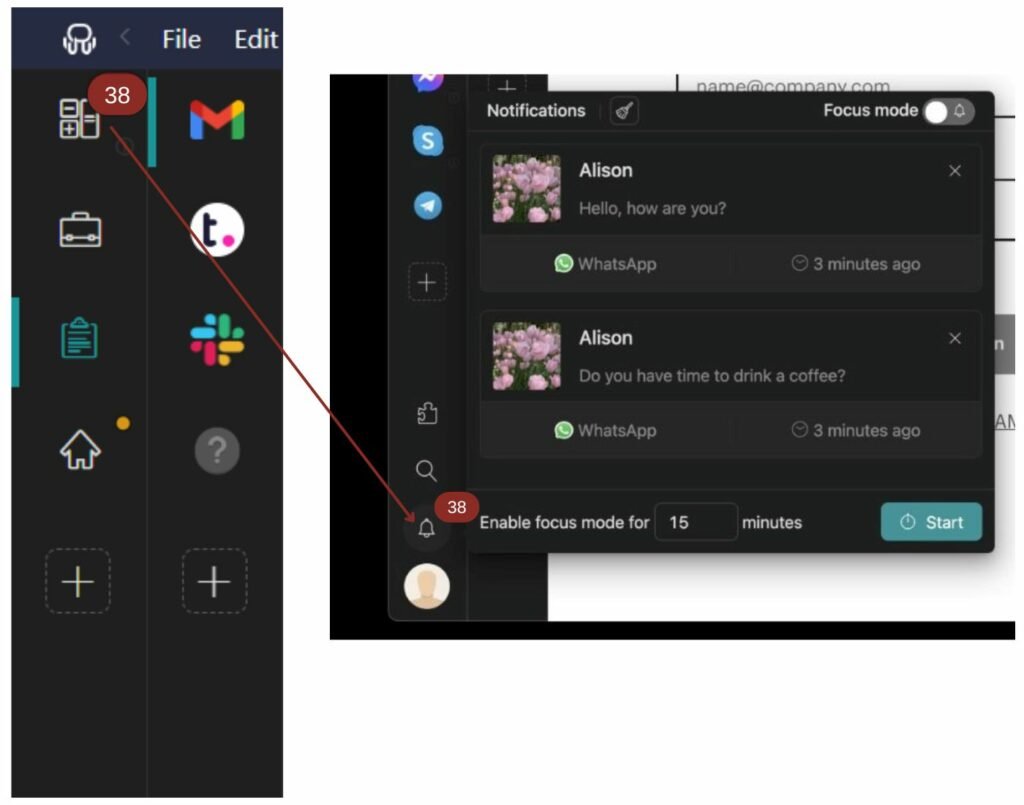
Plus, if you choose to turn off your notifications, the Notification Center serves as a centralized hub, ensuring that you never miss a critical message.
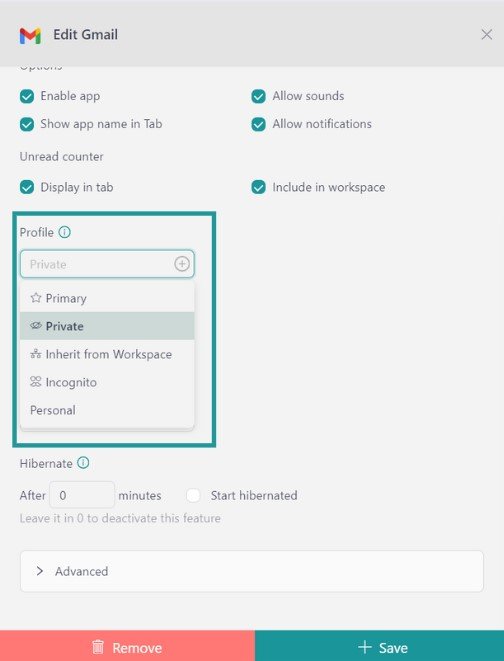
Each Profile in Desktop Hub functions as a dedicated session, providing organized management for multiple accounts associated with different apps. Desktop Hub offers several key profiles tailored to different needs: “Primary” for default settings, “Inherit from Workspace” for nested items, “Private” for isolated sessions, “Incognito” for enhanced privacy without storing cookies, and “Custom Profiles” for personalized configurations.
How to add these apps on Desktop Hub?
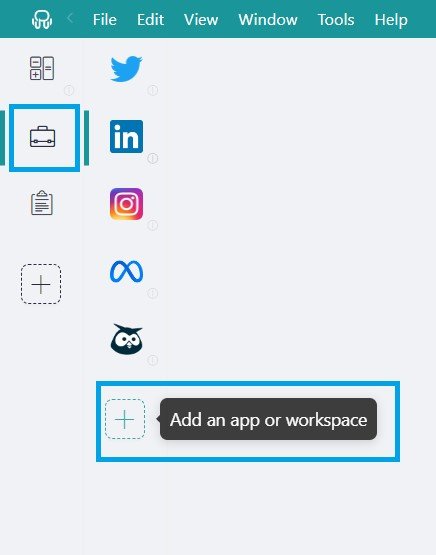
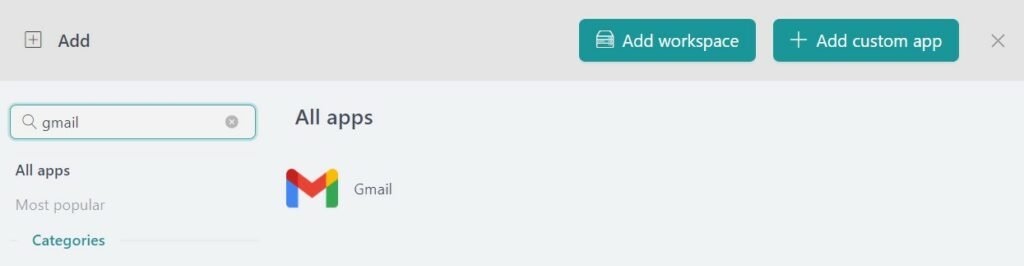
Getting started with Desktop Hub to access these apps from your desktop is a breeze. Just follow these simple steps:
- Click on the “Add an app or workspace” button in your main tab or workspace.
- Type the name of the app you want to add in the search panel at the left.
- Configure the application settings to your liking. Remember that you can choose which profile you want to use in the app (inherit from workspace, primary, private, incognito, or a custom profile).
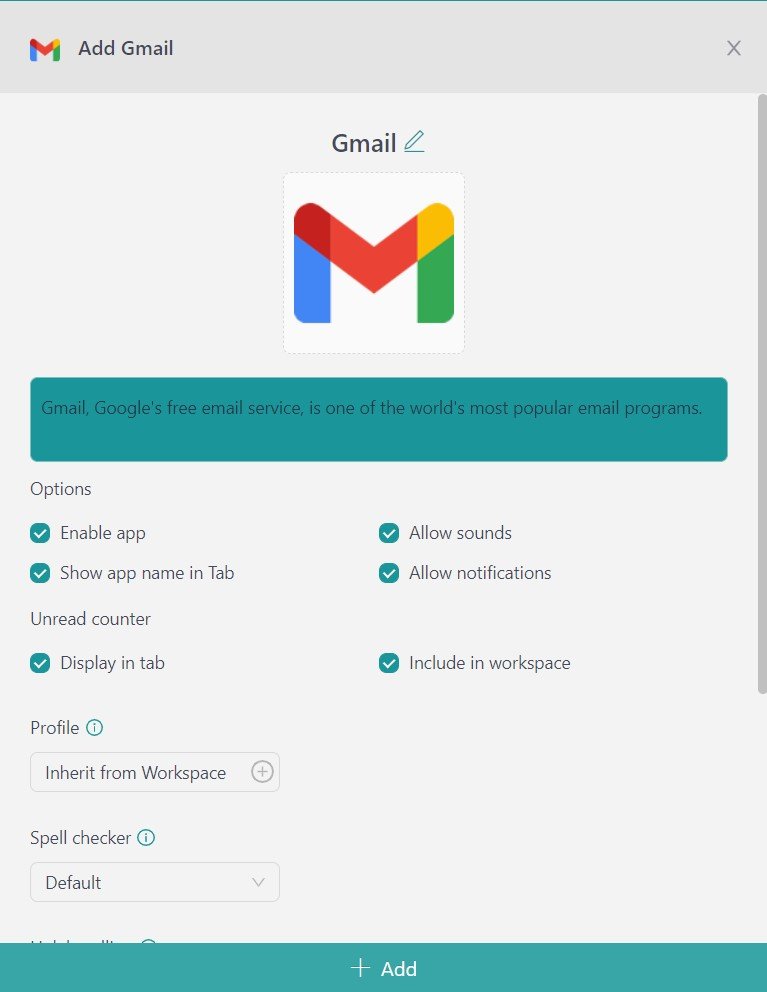
- Click on “+Add,” and that’s it! The app has been added to your Desktop Hub’s workspace!
If you are overwhelmed by the number of apps you have to manage, try Desktop Hub for free. All you have to do is download the program, configure it to your liking, and enjoy its functionalities. No cards, no cheating, it’s that simple!