

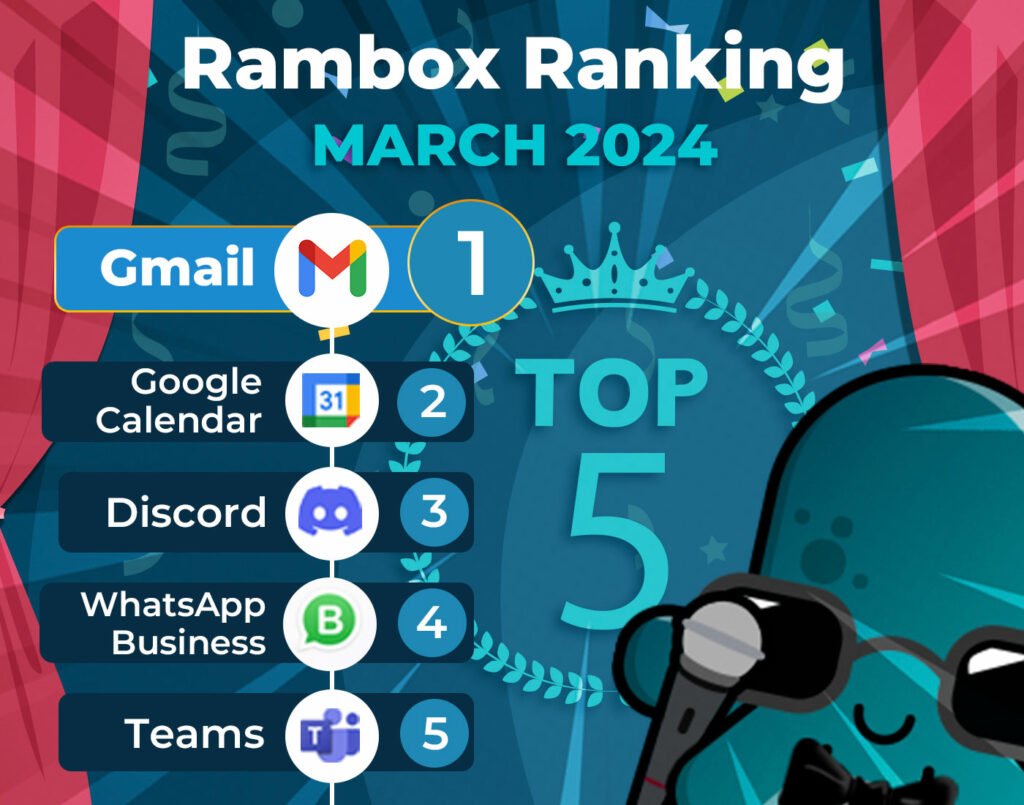
It’s time to unveil the power-packed lineup of March’s most-used apps on Desktop Hub – your favorite workspace simplifier.
Join us on this exploration, where we first dive into the top 15 most-used apps. Here, we’ll unearth a mix of personal and professional digital applications that are the pillars of our users’ digital workspaces.
But our journey doesn’t end there. Let’s take a closer look at how the Desktop Hub Ranking has evolved since last month, February.
Discover the latest trends and shifts in user preferences as we spotlight the newcomers who have made their mark in the top ranks and reveal our users’ new favorite apps.
Most-used apps on Desktop Hub in March
First, we present the top 15 apps most used by Desktop Hub users based on statistical and impersonal data.
This selection represents the digital frontrunners that have captured the spotlight in the diverse digital realms of our users.
How has the Desktop Hub Ranking changed in the last month?
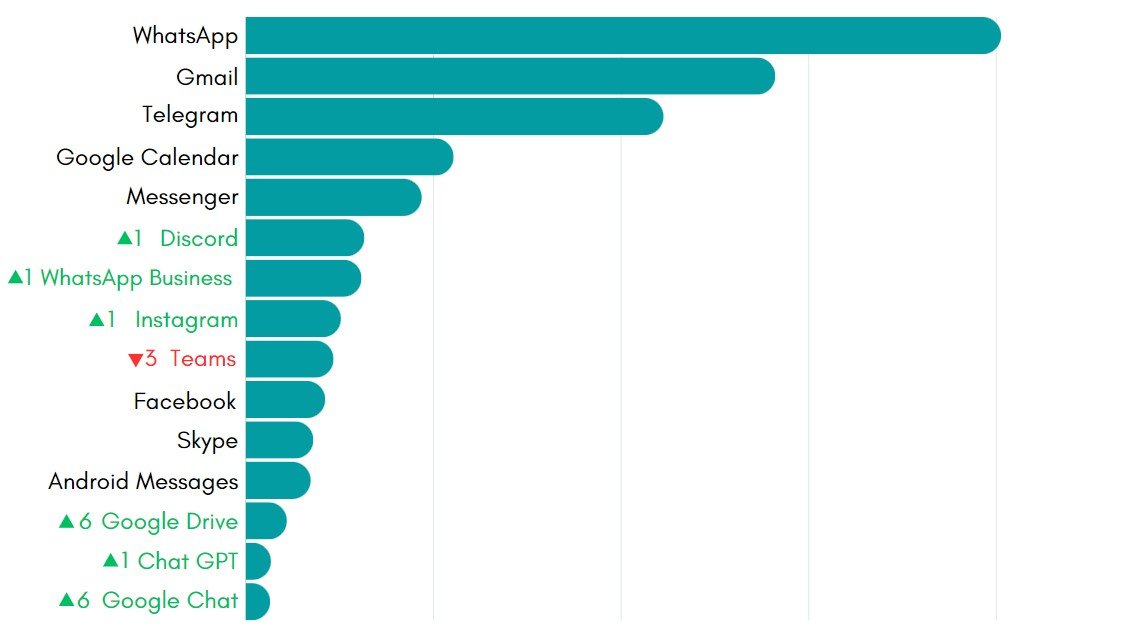
Desktop Hub users are sticking with their favorites, with WhatsApp, Gmail, Telegram, Google Calendar, and Messenger holding strong at the top in both February and March.
But there are some interesting changes further down the list. Discord, WhatsApp Business, Instagram, and Chat GPT have each moved up a spot, showing they’re gaining traction.
Teams experienced a decline, slipping down three spots, indicating decreased usage or popularity among Desktop Hub users. Additionally, it’s worth mentioning that Trello and Outlook 365 have dropped out of the top rankings entirely this month.
But the real surprises are Google Chat and Google Drive, both making their debut in the top 15 and shooting up six spots each. They’re quickly becoming popular choices for communication and collaboration.
Our users’ new favorite apps
Let’s turn our attention to our users’ latest favorites. Below, we present a brief overview of each app. Explore its features and functionalities to see how it can enhance your daily workflow, and consider adding it to your regular workspaces.
Google Drive
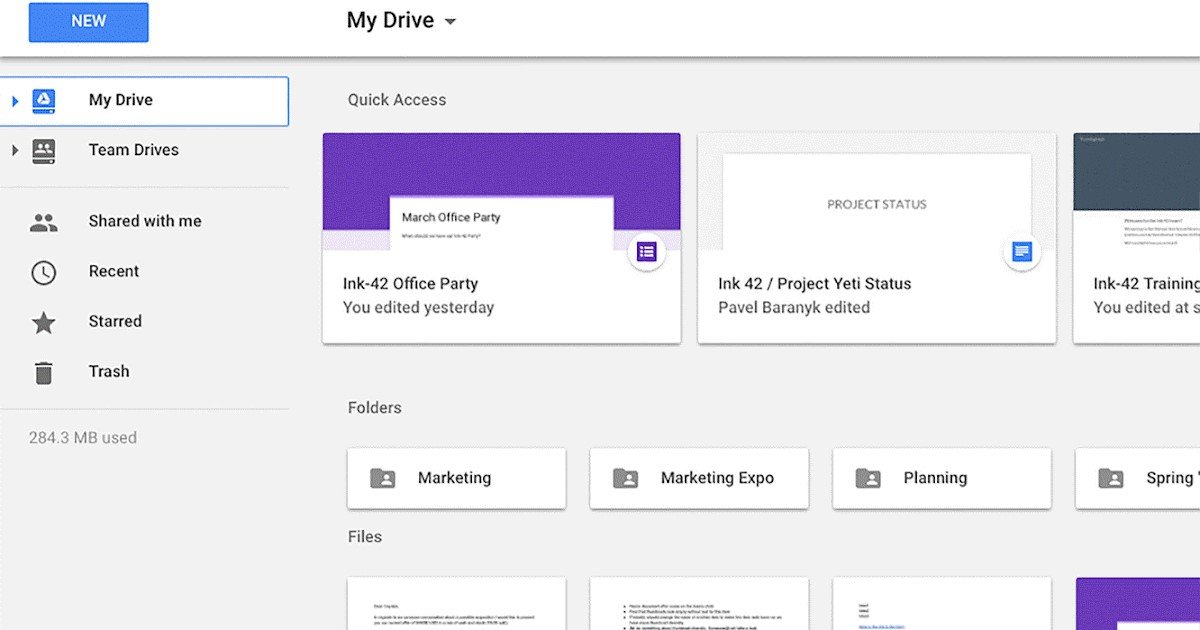
Google Drive is a cloud storage and file-sharing service developed by Google. It allows users to store files securely in the cloud, access them from any device with an internet connection, and easily share them with others. With Google Drive, users can create, upload, and organize various files, including documents, spreadsheets, presentations, and more.
Source: Google Workspace Updates
One of its main features is the seamless integration with other Google Workspace apps like Google Docs, Sheets, and Slides. This allows for real-time collaboration and document editing directly within the Drive interface. Additionally, Google Drive offers robust sharing options, allowing users to control who can view, edit, or comment on their files.
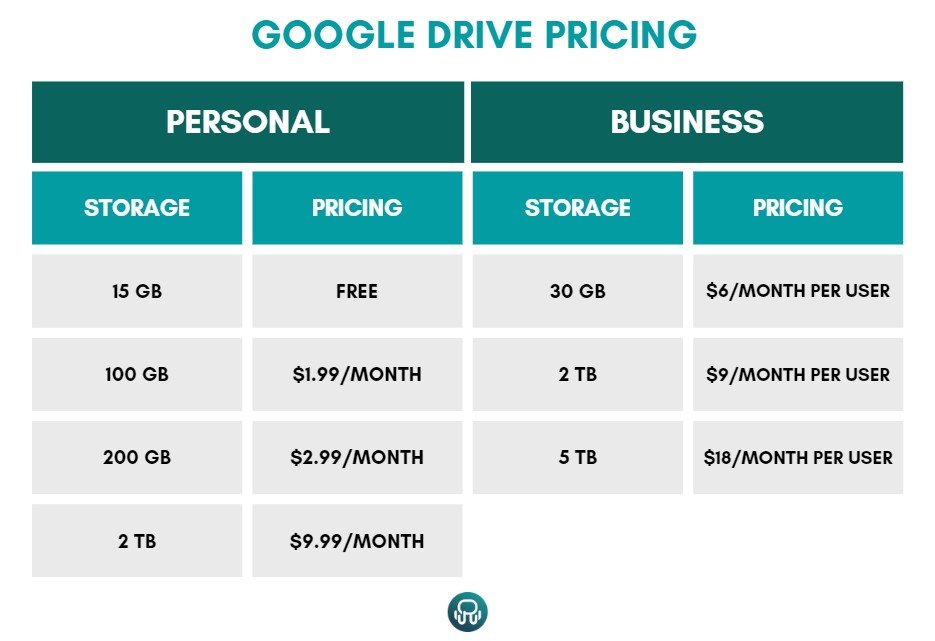
As for pricing, Google Drive offers a free tier with 15 GB of storage for individual users. For those requiring more storage, Google offers various paid plans starting at $1.99 per month for 100 GB of storage, $2.99 per month for 200 GB, and $9.99 for 2 TB. Additionally, for businesses, Google offers the Business Starter plan at $6 per user per month with 30 GB of cloud storage per user, the Business Standard plan at $12 per user per month with 2 TB of storage per user, and the Business Plus plan at $18 per user per month with 5 TB of storage per user.
Google Chat
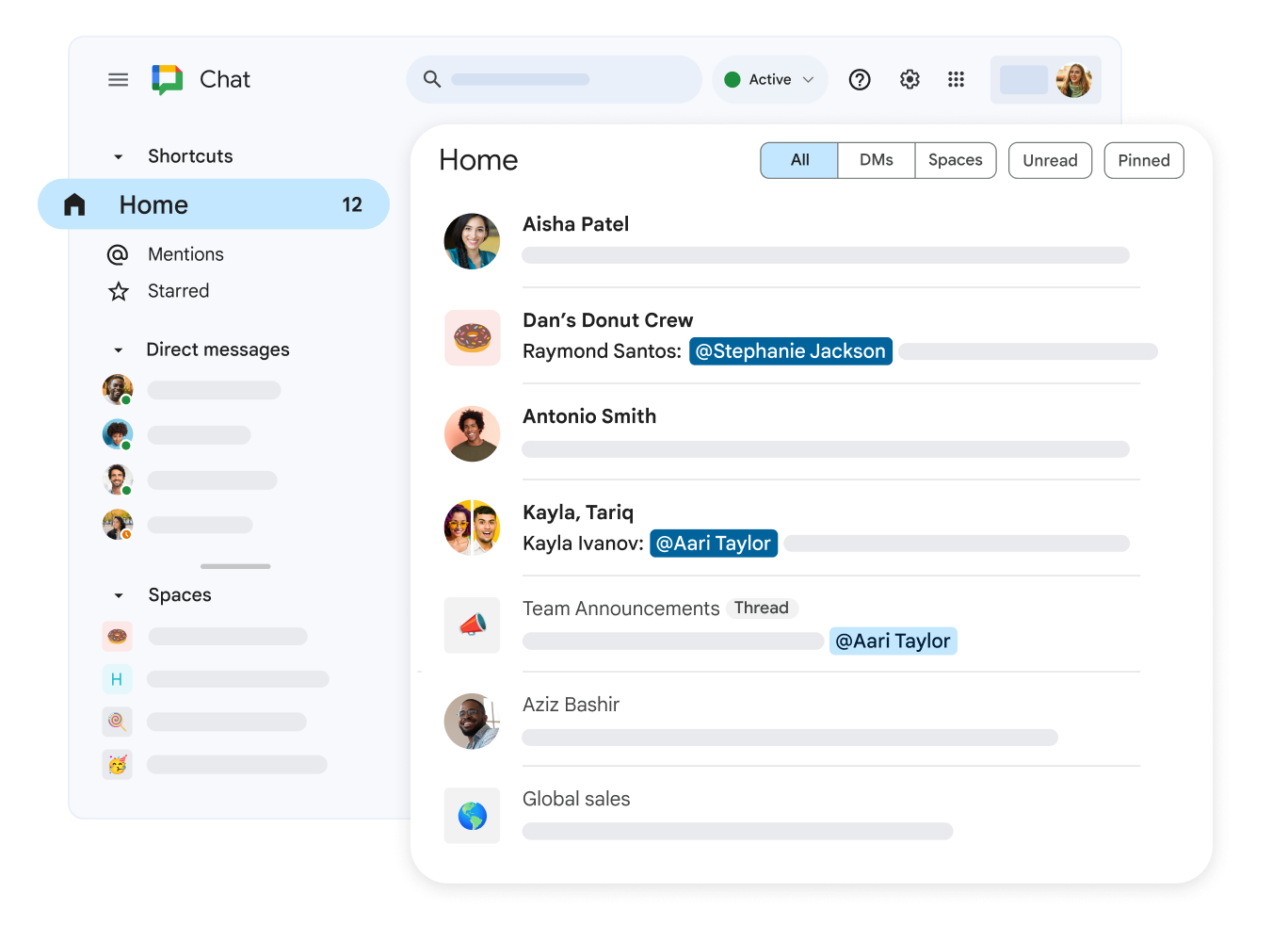
Google Chat is a messaging platform developed by Google to facilitate communication and collaboration within teams and organizations. It offers a wide range of features to streamline communication and enhance productivity.
Source: Google Workspace
One of Google Chat’s critical functionalities is its integration with other Google Workspace apps like Gmail and Google Drive. This integration allows users to seamlessly switch between email, chat, and file sharing, making it easy to collaborate on projects and share information within the same interface.
Google Chat offers various communication tools, including direct messaging, group chats, and threaded conversations. Users can create dedicated rooms for different projects or topics and invite team members to join and share messages, files, multimedia, and links within these rooms. This helps teams stay organized and focused on their tasks, even remotely.
It also offers seamless integration with other third-party apps and services through its extensive library of bots and integrations. Users can automate tasks, access information from external sources, and streamline workflows by connecting Google Chat with their favorite apps and services.
You can use Google Chat with either a personal Google account or with a paid Google Workspace account. The features available in Google Chat depend on the type of account you use to sign in.
As mentioned earlier, Google Workspace offers three different paid plans:
- The Business Starter plan is $6 per user per month.
- The Business Standard plan is $12 per user per month.
- The Business Plus plan is $18 per user per month.
How to add these apps to Desktop Hub session?
Adding these apps to your workflow offers more benefits than simply having them accessible in one place. Desktop Hub’s features can enhance your day-to-day interaction with them.
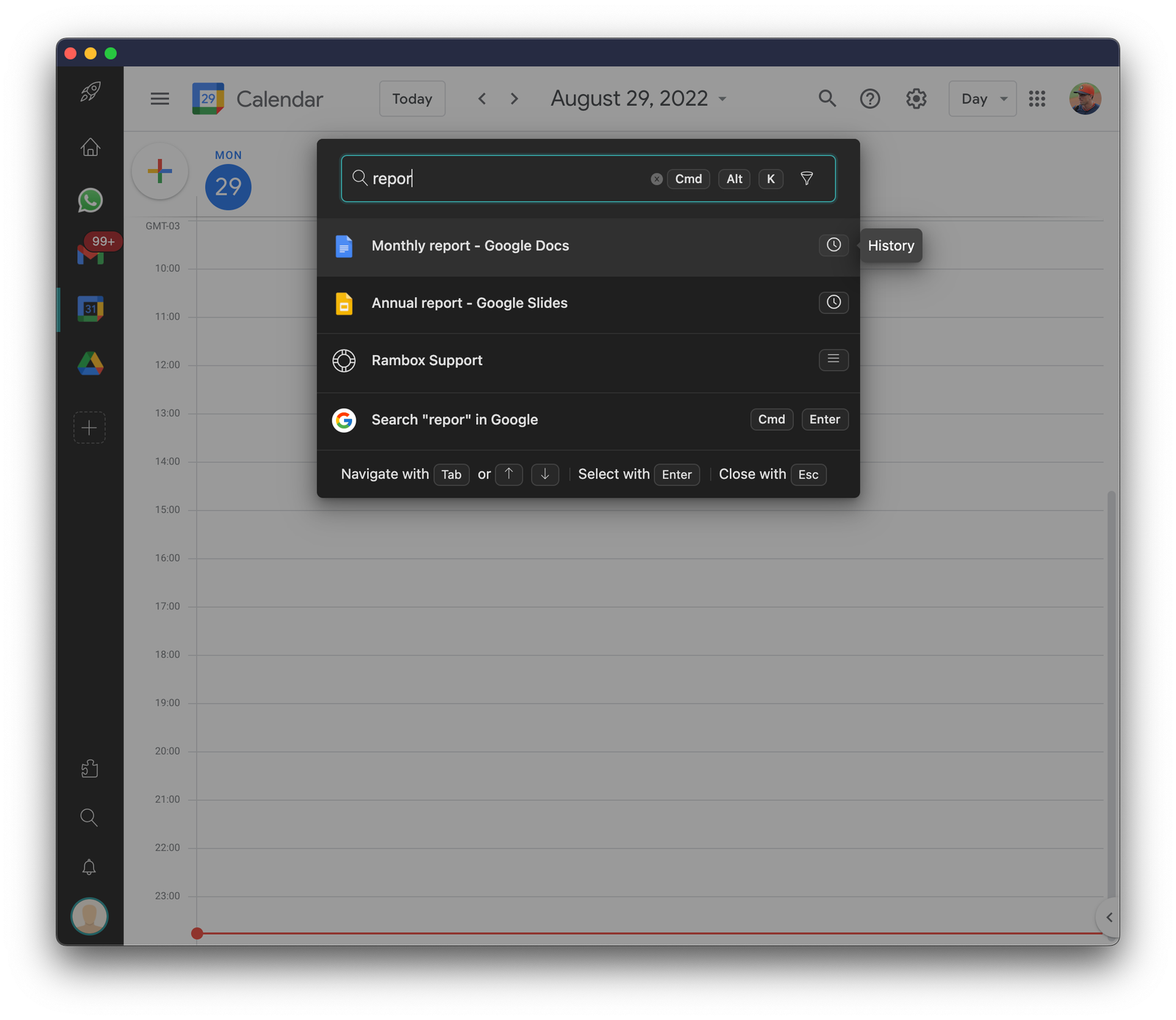
For example, the Quick Search feature becomes invaluable for swiftly locating files in Google Drive, saving you from endlessly searching for specific documents.
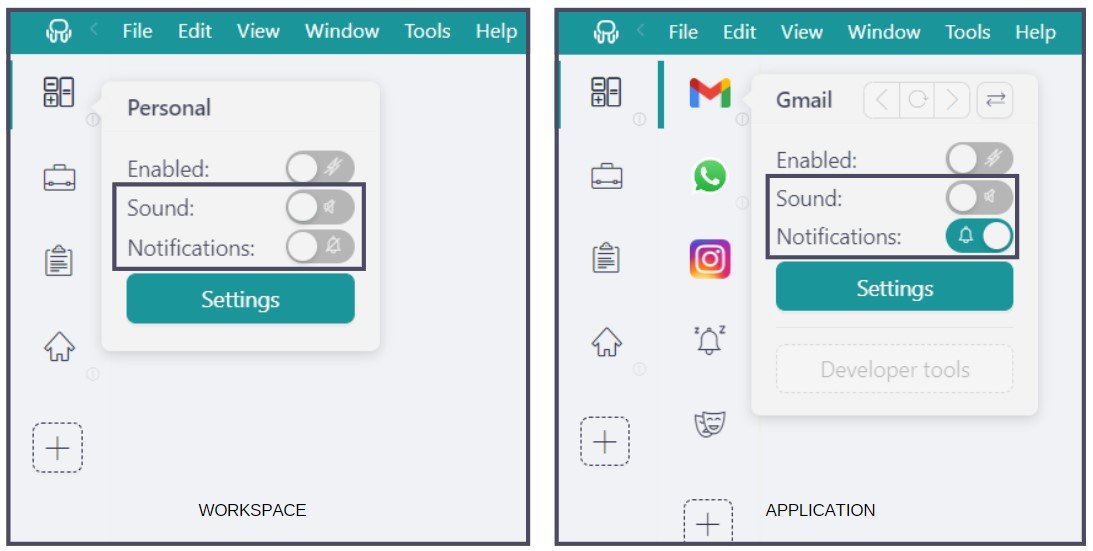
Desktop Hub’s Notification Management also allows you to customize your Google Chat notifications to your preferences. You can choose whether to receive notifications with sound, without sound, or without notifications, giving you complete control over your workspace.
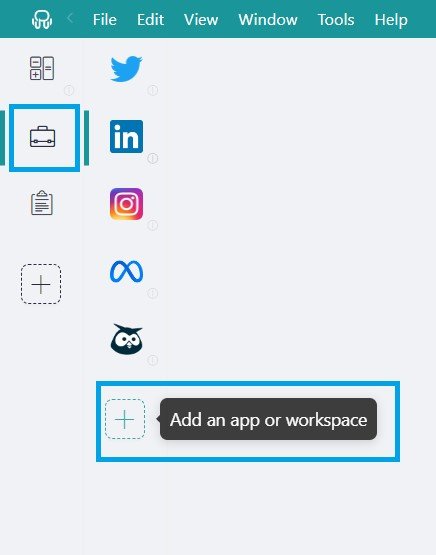
Getting started with Desktop Hub to access these apps from your desktop is a breeze. Just follow these simple steps:
- Click on the “Add an app or workspace” button in your main tab or workspace.
- Type the name of the app you want to add in the search panel at the left.
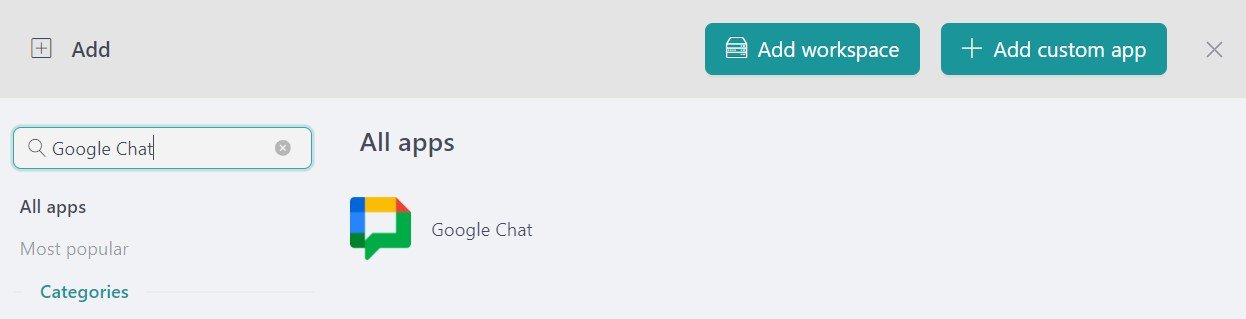
- Configure the application settings to your liking. Remember that you can choose which profile you want to use in the app (inherit from workspace, primary, private, incognito, or a custom profile).
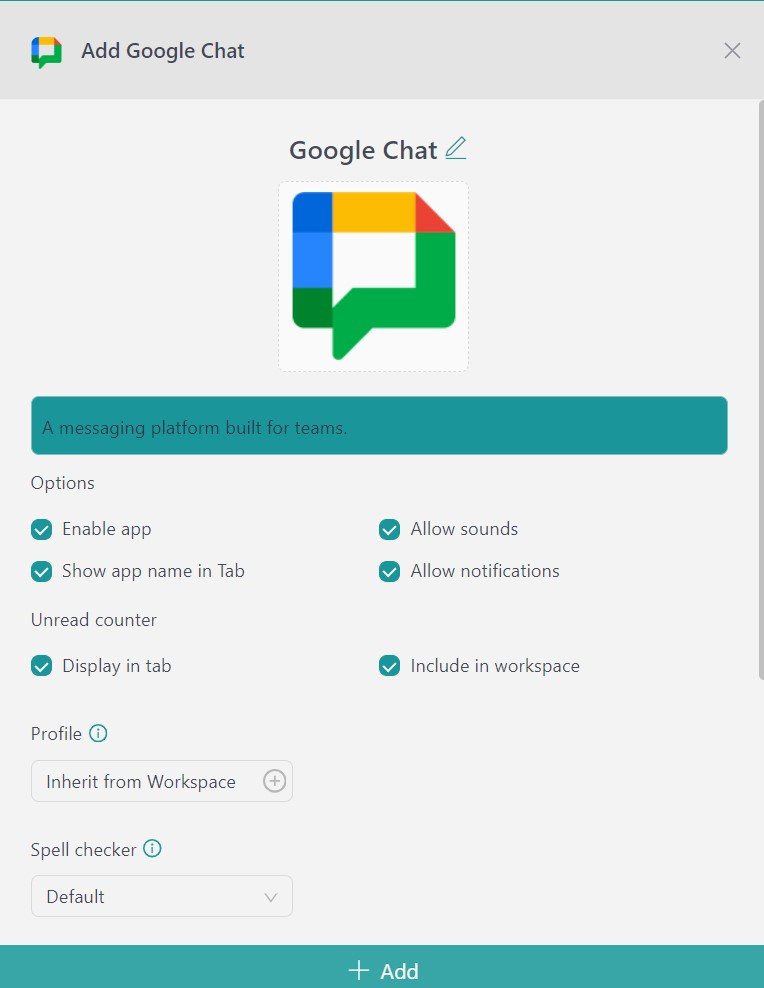
- Click on “+Add,” and that’s it! The app has been added to your Desktop Hub’s workspace!
If you are overwhelmed by the number of communication apps you have to manage, try Desktop Hub for free. All you have to do is download the program, configure it to your liking, and enjoy its functionalities. No cards, no cheating, it’s that simple!